Access Control (Authorization)
The system uses a sophisticated priority-based authorization engine to determine if a consumer is allowed to call a specific endpoint.
The 7-Tier Priority Chain
When a request is received, the system evaluates all access rules assigned to the consumer. Rules are checked in the following order of priority (highest to lowest). The first matching rule found grants or denies access.
| Priority | Type | Description |
|---|---|---|
| 1 | Endpoint | Access to a specific, unique endpoint. |
| 2 | Catalog | Access to all endpoints within a specific catalog. |
| 3 | Tenant | Access to all endpoints within a specific tenant. |
| 4 | Catalog Type | Access to a specific "type" (e.g., READ) within a catalog. |
| 5 | Tenant Type | Access to a specific "type" within a tenant. |
| 6 | Type | Global access to all endpoints of a specific type. |
| 7 | Global | Access to every endpoint in the company. |
Why use Tiers?
Tiers allow for extremely granular control combined with broad defaults. You can grant a consumer access to an entire Tenant but explicitly revoke or override settings for one specific Endpoint.
Revocation
Access rules can be deleted or disabled at any time. Changes may take a few minutes to propagate across the system.
UI Usage Guide
Follow these steps to grant a consumer access to your APIs.
Step 1: Open the Grant Access Dialog
- Navigate to the Access page from the sidebar menu.
- Click "Grant New Access".
- The Grant Consumer Access dialog opens with a 3-step flow.
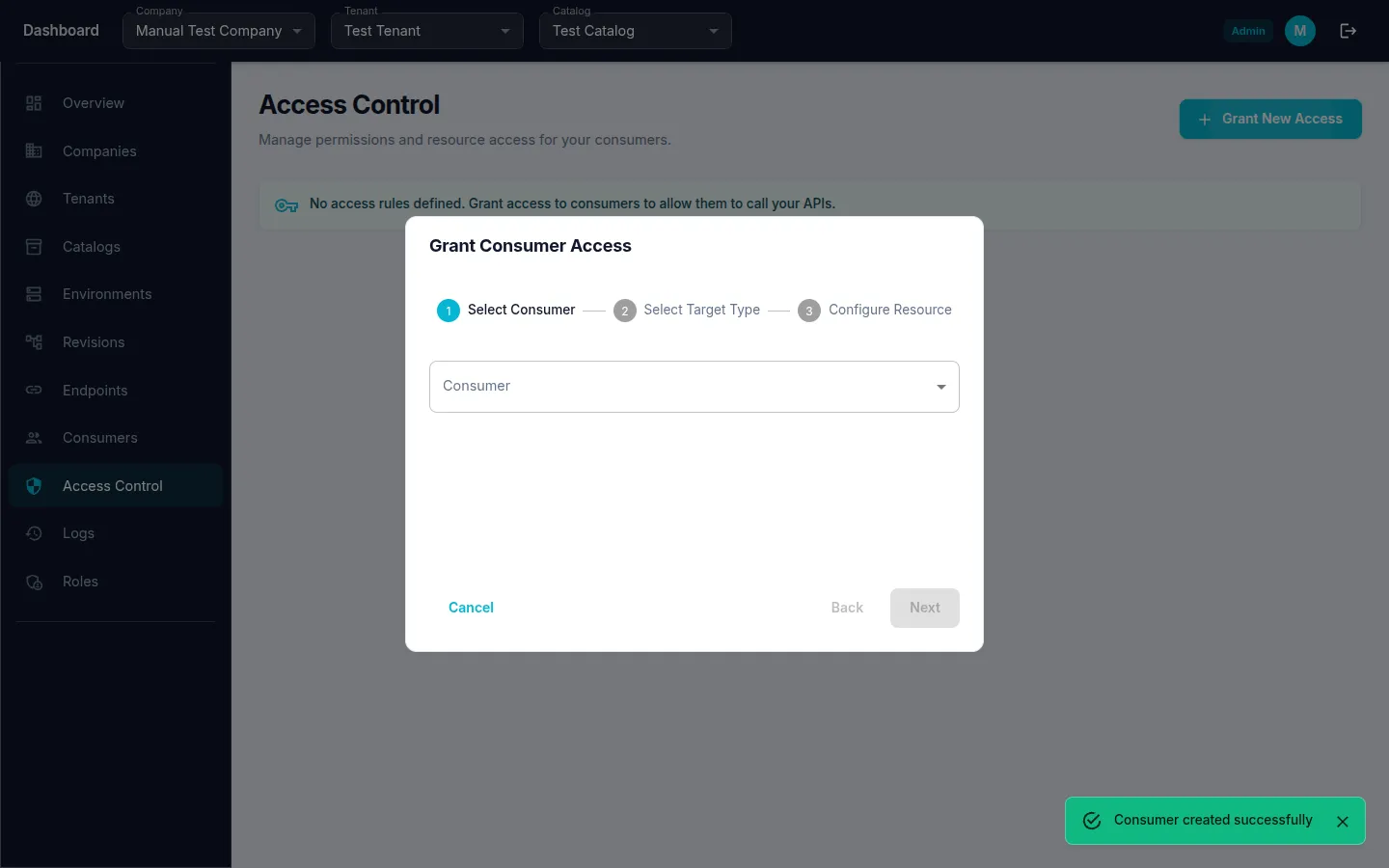
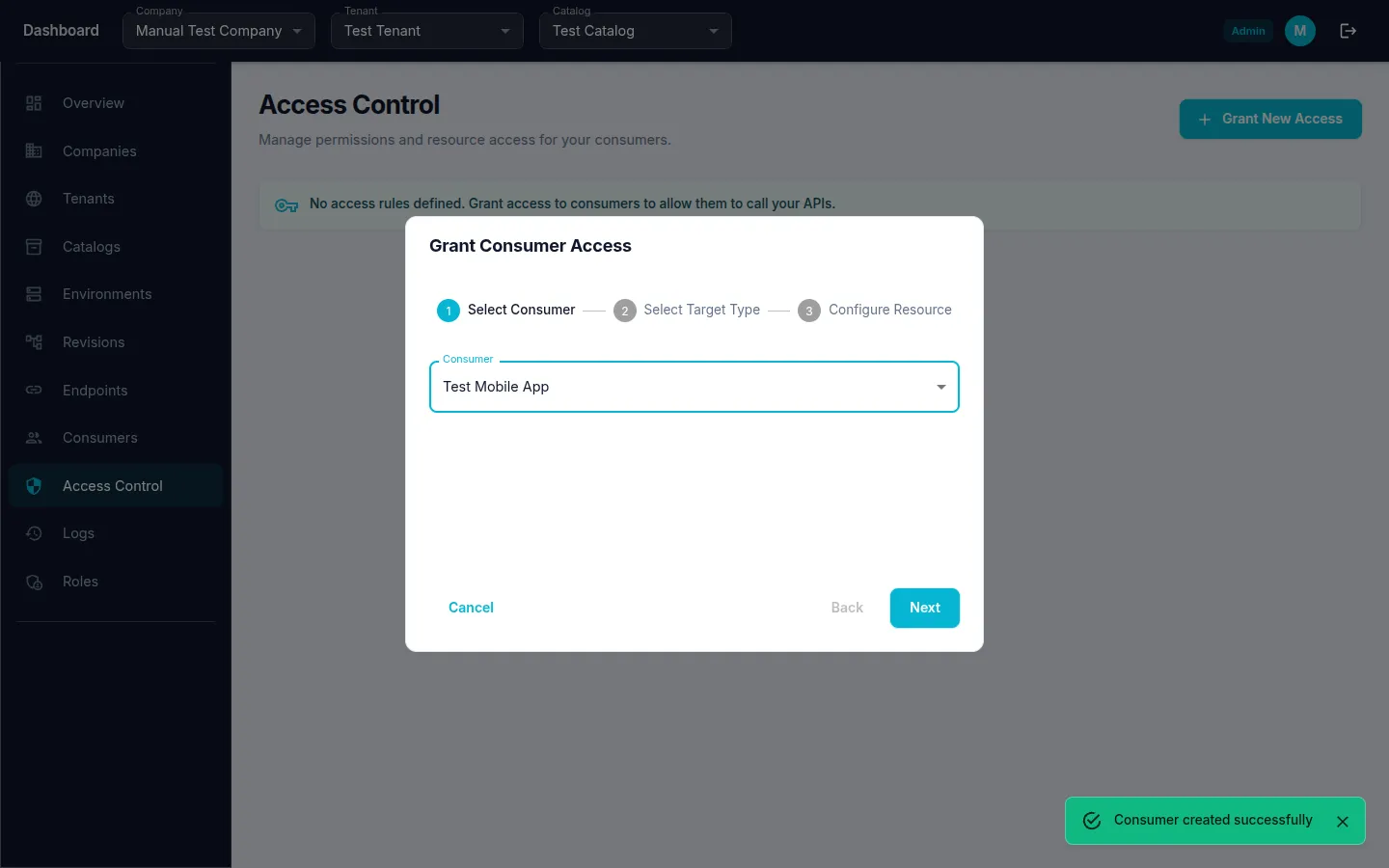
Step 2: Select Consumer
- From the Consumer dropdown, select the consumer you want to grant access to.
- Click "Next".
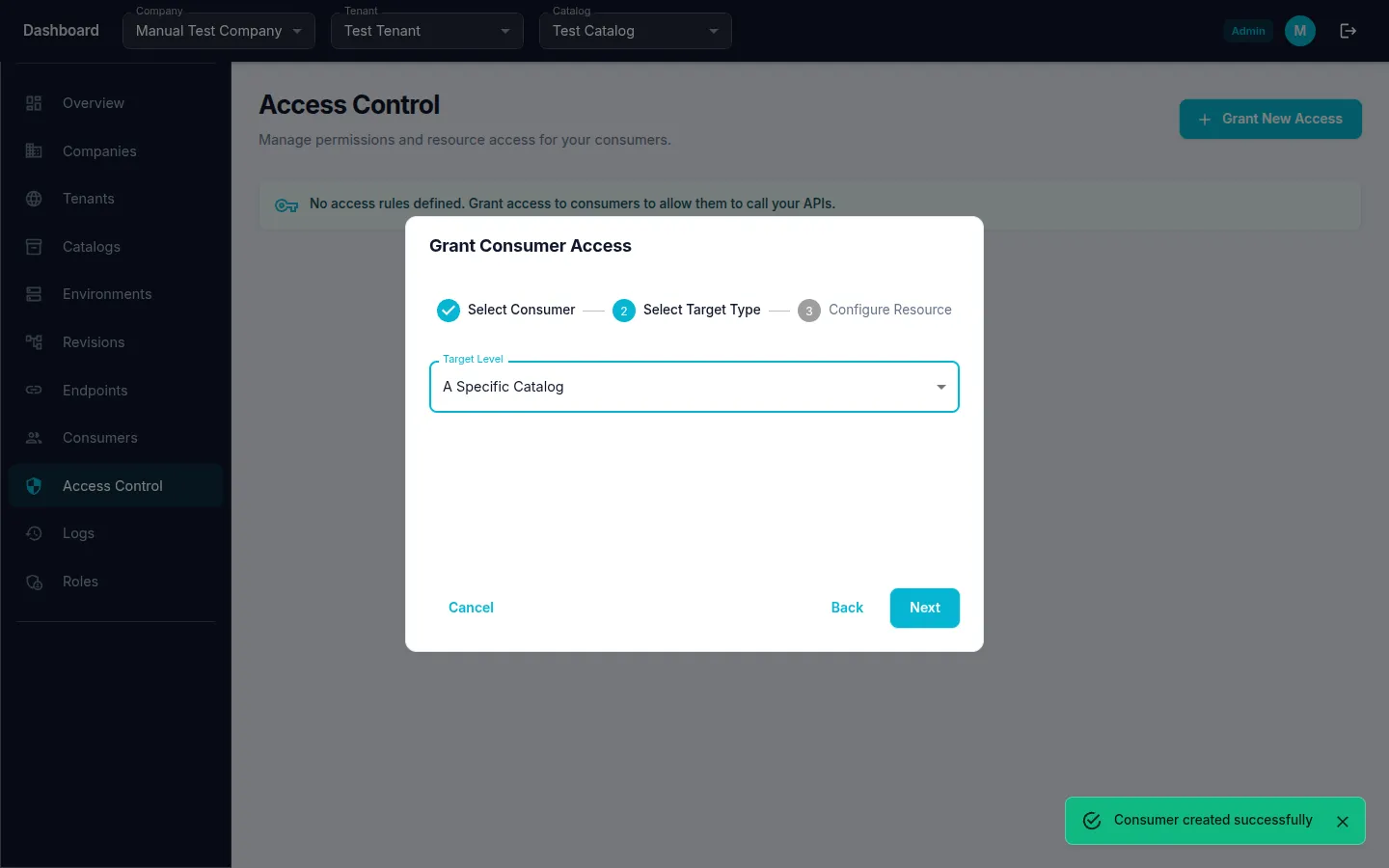
Step 3: Choose Target Level
Decide the scope of access:
- A Whole Tenant — access to all catalogs and endpoints within a tenant.
- A Specific Catalog — access to all endpoints within a specific catalog.
- A Specific Endpoint — access to a single endpoint only.
- Select the Target Level from the dropdown (e.g., "A Specific Catalog").
- Click "Next".
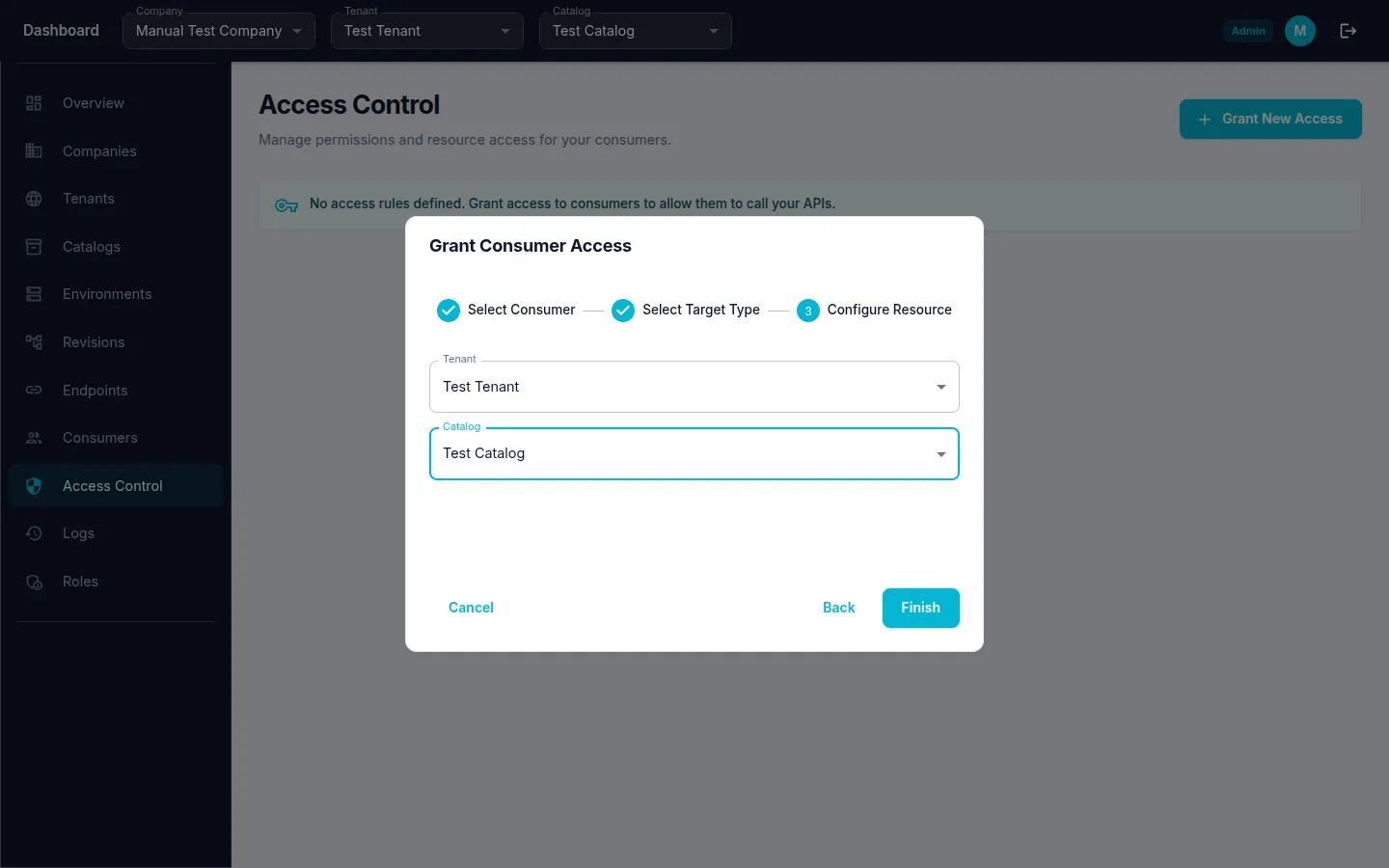
Step 4: Configure Resource
- Select the Tenant from the dropdown.
- Wait for catalogs to load, then select the Catalog.
- Click "Finish" to grant the access rule.
A success notification confirms the access was granted.