
Endpoints
Endpoints define the routing rules: which public URL maps to which internal upstream service.
Routing Configuration
Each endpoint represents a unique combination of Path and HTTP Method.
Public Path
The path exposed by the Gateway. Supports parameters like /users/{id}.
Upstream Path
The path on your internal server. Parameters are automatically forwarded (e.g., /api/v2/users/{id}).
Immutability & Revisions
Important: Modifying an endpoint in the UI does not affect live traffic. Changes only take effect after you publish a new Revision and apply it to an Environment.
Public URL Structure
Once published, your endpoints become available through a structured URL:
Example: https://api.gatefull.com/acme/payments/prod/v1/charge
Supported HTTP Methods
- Methods: GET, POST, PUT, PATCH, DELETE, OPTIONS, HEAD.
- Path Parameters: Use curly braces to define dynamic segments (e.g.,
/users/{id}). - Priority: Exact path matches are prioritized over parameterized paths.
UI Usage Guide
Follow these steps to create and manage endpoints.
Step 1: Create an Endpoint
- Navigate to Endpoints from the sidebar menu.
- Click the "Create" (or "+") button.
- Select the HTTP Method (e.g., GET).
- Set the Path (e.g.,
/api/test) — this is the public-facing route. - Set the Upstream Path (e.g.,
/api/test) — this is forwarded to your backend. - Click "Save" to create the endpoint.
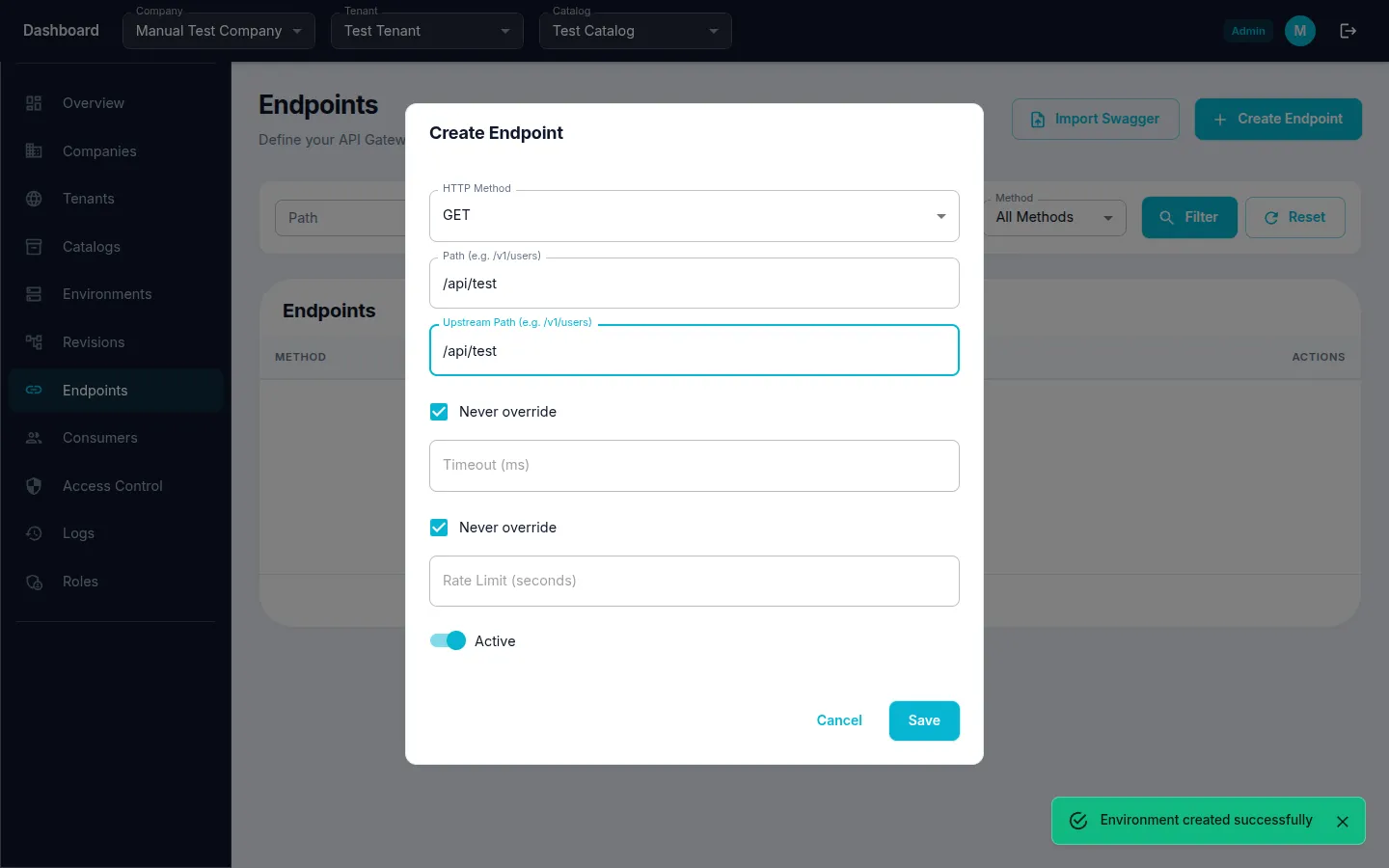
Step 2: Create Additional Endpoints
- Click the "Create" (or "+") button again.
- Select a different HTTP Method (e.g., POST).
- Fill in Path and Upstream Path.
- Click "Save" to create the endpoint.
Remember: Newly created endpoints are not live until you create and apply a Revision to an Environment.