Consumers
Consumers represent the clients (applications, partners, or internal services) that consume your APIs through the Gateway.
Authentication
Each consumer is issued a pair of credentials — a Client ID and a Client Secret — which they use to authenticate when calling your APIs through the Gateway.
Security Best Practices
Secret Management
The secret is only shown once during creation. Store it securely (e.g., in a secrets manager). If potentially compromised, regenerate a new secret from the Consumers page.
Consumer States
- Active: Can authenticate and access authorized endpoints.
- Inactive: Authentication is rejected immediately by the proxy.
UI Usage Guide
Follow these steps to create consumers and manage their credentials.
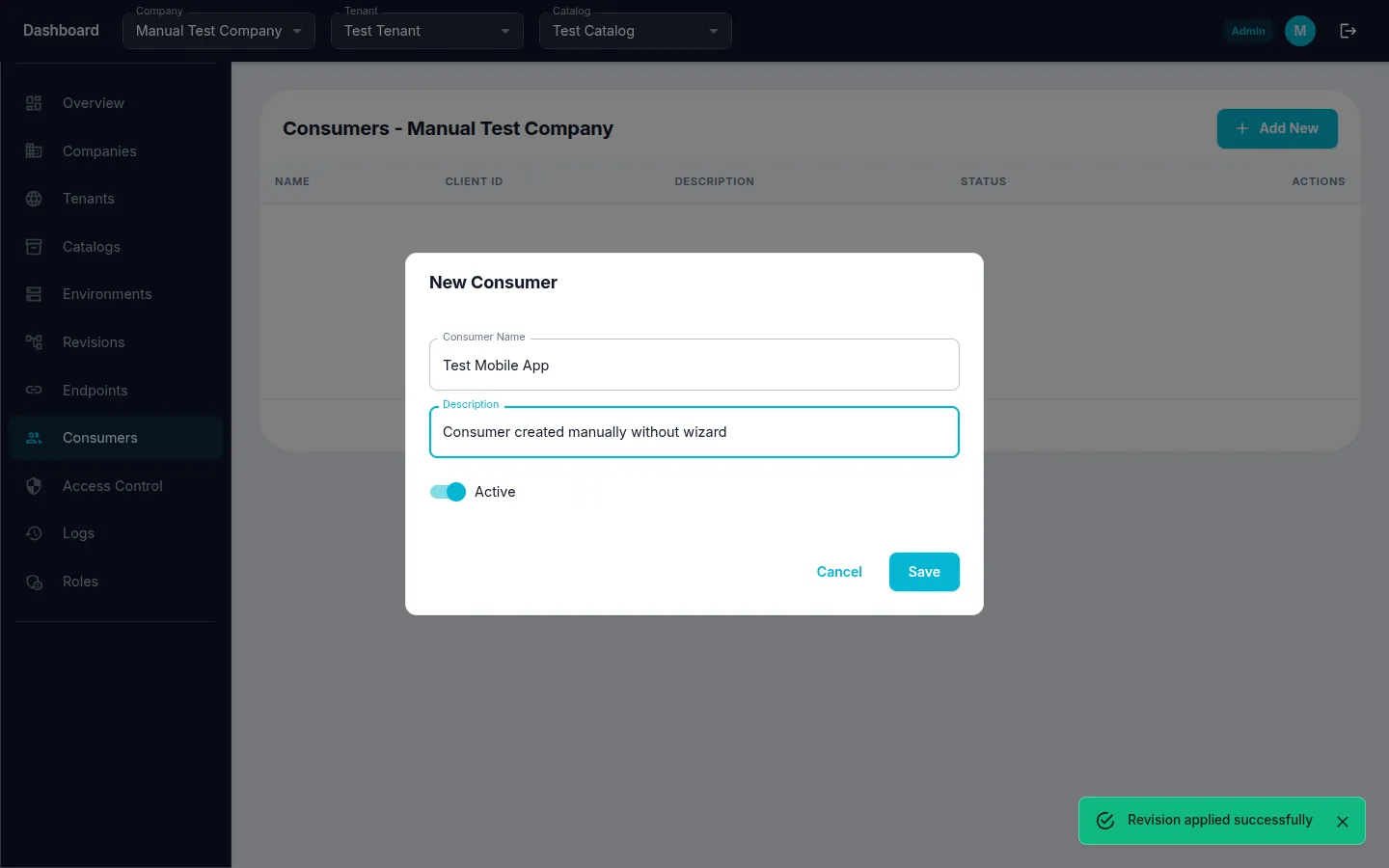
Step 1: Create a Consumer
- Navigate to Consumers from the sidebar menu.
- Click the "Create" (or "+") button.
- Fill in Consumer Name and Description.
- Click "Save" to create the consumer.
Step 2: Save Consumer Credentials
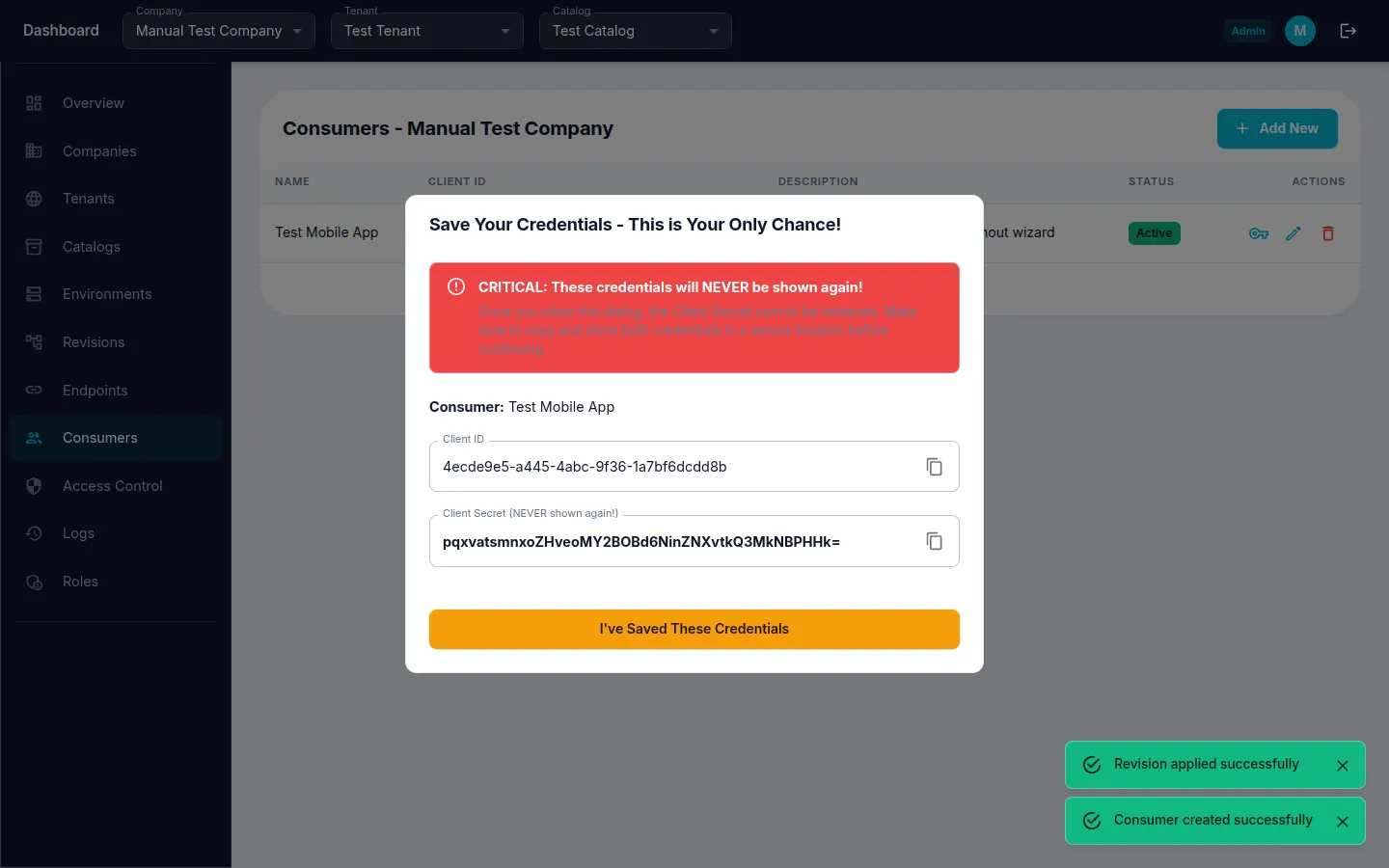
Critical: After creating a consumer, a dialog displays the Client ID and Client Secret. This is the only time the secret is shown in plain text. Copy and store it securely.
- A credentials dialog appears automatically after consumer creation.
- Click the copy button next to "Client Secret" to copy it to your clipboard.
- Store the credentials securely (e.g., a secrets manager or environment variable).
- Click "I've Saved These Credentials" to dismiss the dialog.