Catalogs
Catalogs are logical groupings of API Endpoints. Think of a Catalog as a "Service" or a "Project" (e.g., Payments API).
Concept
A Catalog belongs to a Tenant and acts as a container for Revisions. It helps organize your API surface into manageable units.
Key Attributes
- Name: A friendly name for display in the UI (e.g., "User Management").
- Shortname: A URL-safe identifier used by the Reverse Proxy (e.g.,
user-mgmt). This forms part of the public URL path. - Timeout: A default timeout in milliseconds that applies to all endpoints in this catalog unless overridden.
Swagger/OpenAPI Import
You can speed up the creation of endpoints by importing an existing OpenAPI (Swagger) specification.
- Automatic Path Mapping: Paths and Methods are extracted and created as Endpoints.
- Conflict Detection: The system detects if an endpoint already exists and suggests updates.
- Bulk Operations: Perfect for migrating existing services to the Gateway in one step.
Lifecycle
- Create a Catalog.
- Define Endpoints within the current draft Revision.
- Publish the Revision to an Environment (e.g., Production).
UI Usage Guide
Follow these steps to create and manage catalogs.
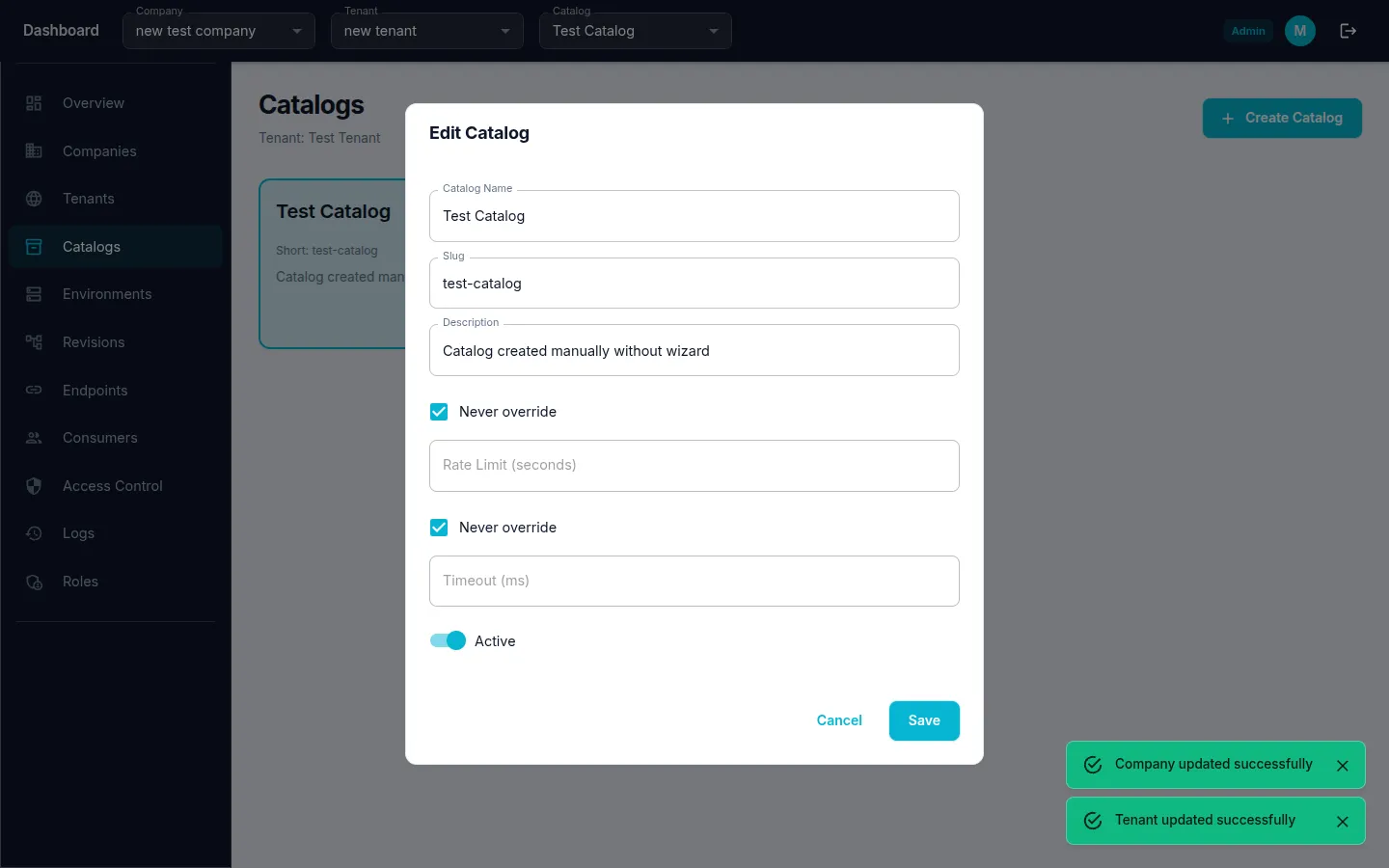
Step 1: Create a Catalog
- Navigate to Catalogs from the sidebar menu.
- Click the "Create" (or "+") button.
- Fill in Catalog Name, Slug, and Description.
- Optionally configure Rate Limit and Timeout overrides.
- Click "Save" to create the catalog.
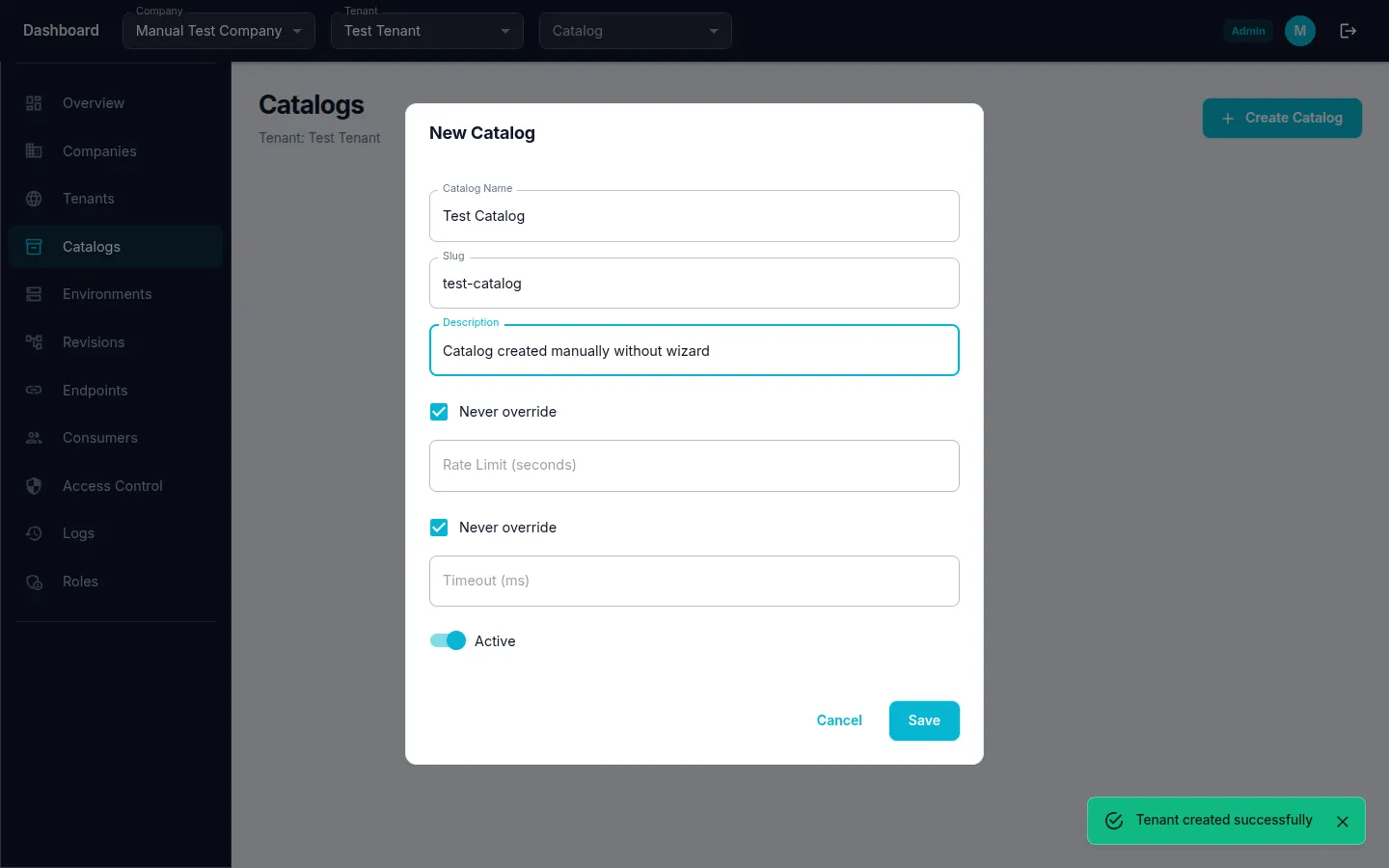
Step 2: Edit an Existing Catalog
- Navigate to Catalogs from the sidebar menu.
- Click the edit icon on the catalog row.
- Modify the Catalog Name or other fields.
- Click "Save" to apply changes.